Mensaje Log

Sistema \ Mensaje Log

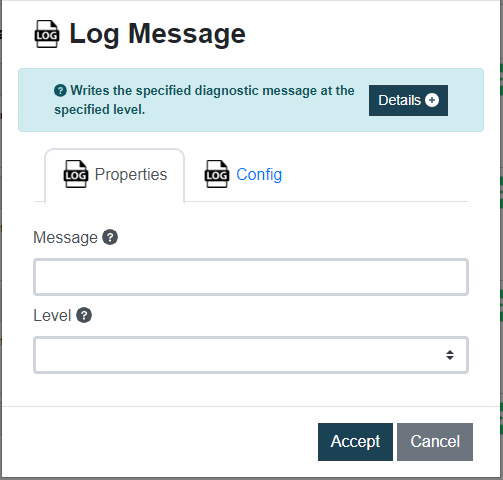
Este comando se utiliza para escribir un mensaje de diagnóstico en un nivel de registro específico, es particularmente útil para fines de depuración y monitoreo. Los niveles de registro disponibles son los siguientes:

  • Trace: se utiliza para obtener información detallada de depuración.
  • Info: se utiliza para proporcionar información general sobre la ejecución del programa.
  • Warn: se utiliza para resaltar posibles problemas o advertencias.
  • Error: se utiliza para registrar errores que ocurren durante la ejecución del programa.
  • Fatal: se utiliza para registrar errores críticos que conducen a la terminación del programa.
Dato de entrada Descripción Ejemplo
Mensaje Mensaje para registrar Ejecución de prueba
Nivel  Seleccione el tipo de nivel de registro apropiado según la gravedad del mensaje que desea registrar: trace, info, warn, error o fatal info

💡Nota:
Al utilizar este comando con diferentes tipos de niveles de registro, puede realizar un seguimiento eficaz del flujo de sus tareas de automatización, identificar cualquier error o advertencia y obtener información sobre la ejecución del programa.

Imagen de ejemplo


Detener Proceso

Sistema \ Detener Proceso

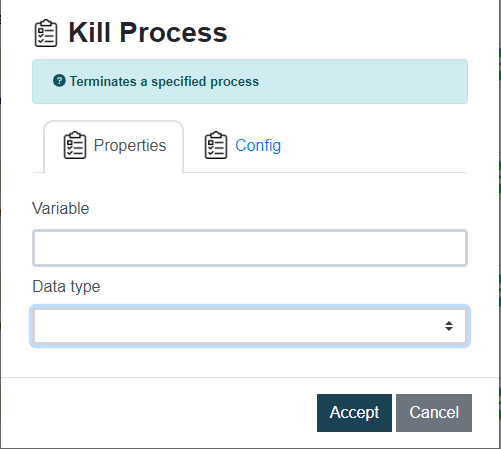
Con este comando podrás detener un programa o aplicación que se está ejecutando en su computadora.
Para poder matar el proceso deberá ingresar un dato del mismo, puede elegir entre:

  • Auto: la plataforma identificará el tipo automáticamente según el valor proporcionado, puede aceptar un nombre de proceso o un PID.
  • PID: identificador único del proceso.
  • Name: nombre del programa o aplicación tal como aparece en el Administrador de tareas.
Dato de entrada Descripción Ejemplo
Variable Datos del proceso que desea matar 820
Tipo de dato Seleccione entre auto, pid y name pid

💡Nota:
Los datos del proceso a matar, como el pid y el name, se pueden obtener con el comando Listar Procesos

Imagen de ejemplo


Listar Procesos

Sistema \ Listar Procesos

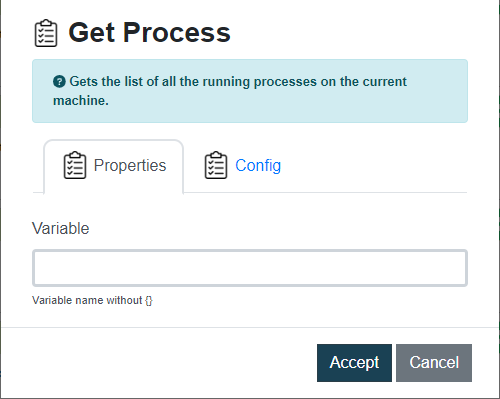
Con este comando podrás recuperar una lista de todos los procesos que actualmente están ejecutándose en su máquina, y características como el nombre, el estado y el pid (ID del proceso).

Dato de entrada Descripción Ejemplo
Variable Variable Rocketbot que almacenará el resultado del comando {var}

Este comando es útil cuando se necesita recopilar información sobre los procesos que se ejecutan en segundo plano, por ejemplo, para monitorear cualquier proceso específico que pueda estar consumiendo mucho de memoria o recursos de CPU.

Imagen de ejemplo


Último Estado

Sistema \ Último Estado

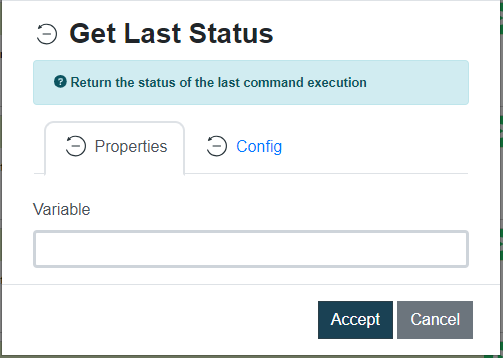
Este comando permite almacenar en una variable de Rocketbot el estado de la ejecución del último comando que se ejecutó en el robot. Puede resultar útil para el manejo de errores o para obtener comentarios sobre el éxito o el fracaso de una tarea específica.

Dato de entrada Descripción Ejemplo
Variable Variable Rocketbot que almacenará el resultado del comando {res}
Imagen de ejemplo


Control de ventanas – Minimizar

WEB \ Control de ventanas – Minimizar

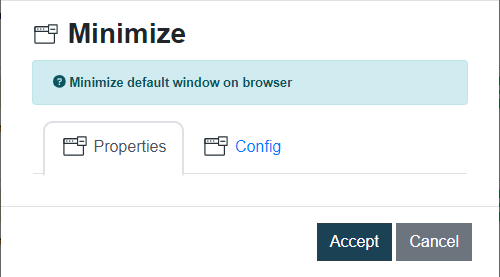
Igual que el comando Maximizar, éste comando solo se debe agregar, no posee opciones de entrada de datos.

Imagen de ejemplo


Subir Archivo

WEB \ Subir Archivo

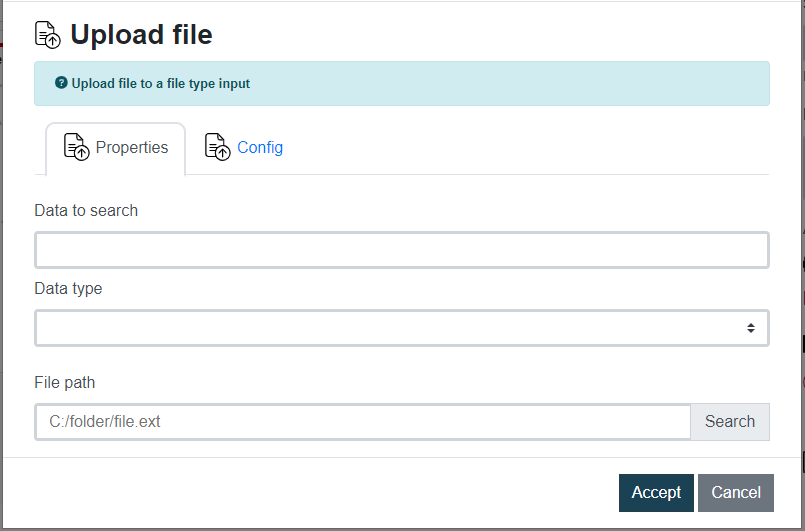
Comando que permite subir uno o más archivos a un input de tipo file.

Datos de entrada Descripción Ejemplo
Dato a buscar Identificador del objeto dentro del documento. Acepta variables {…} username
Tipo de dato Id, Name, XPath, Tag, o Class id
Ruta del archivo Ruta donde se encuentra el archivo o archivos a subir C:\folder\file.txt
Imagen de ejemplo


Mover hasta elemento

WEB \ Mover hasta elemento

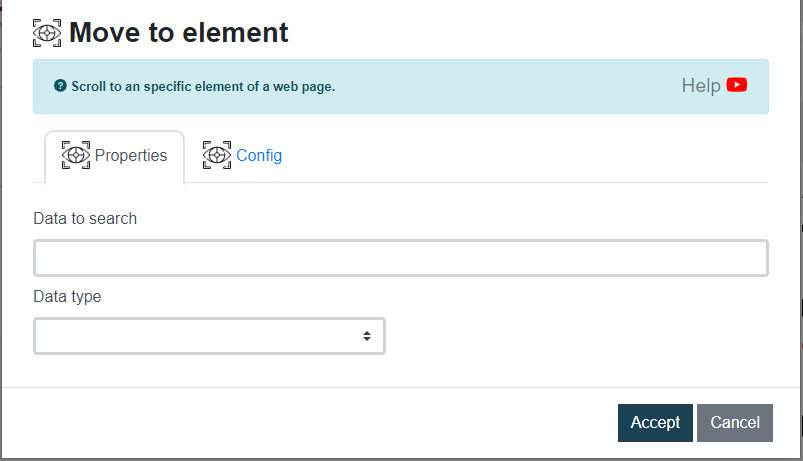
Este comando permite desplazarse (‘scroll’) por la página web hasta un elemento específico determinado.

Datos de entrada Descripción Ejemplo
Dato a buscar Identificador del objeto dentro del documento. Acepta variables {…} username
Tipo de dato Id, Name, XPath, Tag, Class, css selector, link text o partial link text id
Imagen de ejemplo


Obtener Atributo

WEB \ Obtener atributo

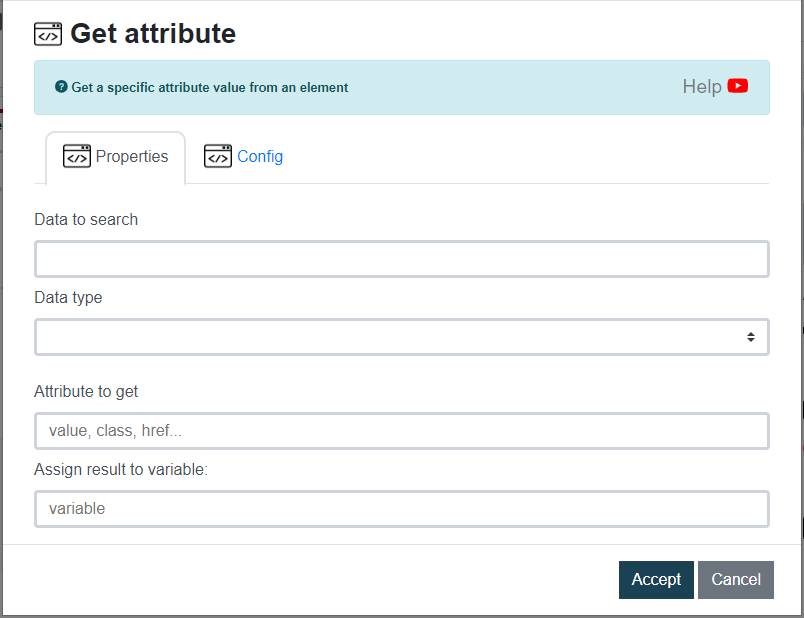
Con este comando puedes obtener el valor de un atributo como, por ejemplo class, href o value, del objeto que busques.

Datos de entrada Descripción Ejemplo
Dato a buscar Identificador del objeto dentro del documento. Acepta variables {…} username
Tipo de dato Id, Name, XPath, Tag, Class, css selector, link text o partial link text id
Atributo a obtener value, class, href, etc. class
Asignar resultado a variable Variable Rocketbot que almacenará el resultado del comando {res}
Imagen de ejemplo


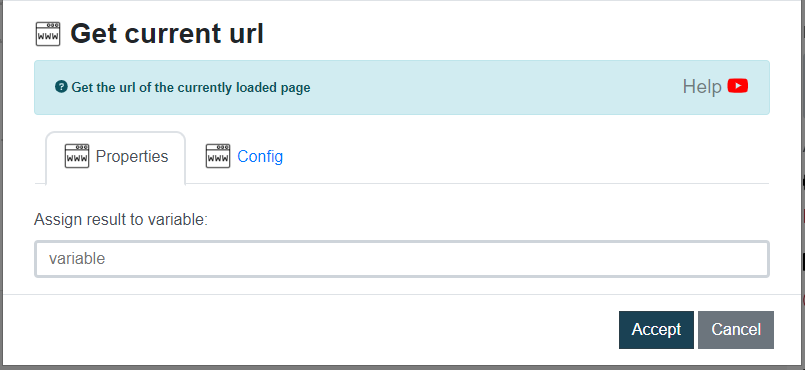
Obtener URL actual

WEB \ Obtener URL Actual

Guarda la URL en la variable de Rocketbot que indiques.

Datos de entrada Descripción Ejemplo
Asignar resultado a variable Nombre de la variable creada entre llaves {var}
Imagen de ejemplo


Filtros Email

ALL

All messages in the mailbox.

ANSWERED

Messages with the \Answered flag set.

BCC

Messages that contain the specified string in the envelope
structure’s BCC field.

BEFORE

Messages whose internal date (disregarding time and timezone)
is earlier than the specified date.

BODY

Messages that contain the specified string in the body of the
message.

CC

Messages that contain the specified string in the envelope
structure’s CC field.

DELETED

Messages with the \Deleted flag set.

DRAFT

Messages with the \Draft flag set.

FLAGGED

Messages with the \Flagged flag set.

FROM

Messages that contain the specified string in the envelope
structure’s FROM field.

HEADER

Messages that have a header with the specified field-name (as
defined in [RFC-2822]) and that contains the specified string
in the text of the header (what comes after the colon). If the
string to search is zero-length, this matches all messages that
have a header line with the specified field-name regardless of
the contents.

KEYWORD

Messages with the specified keyword flag set.

LARGER

Messages with an [RFC-2822] size larger than the specified
number of octets.

NEW

Messages that have the \Recent flag set but not the \Seen flag.
This is functionally equivalent to “(RECENT UNSEEN)”.

NOT

Messages that do not match the specified search key.

OLD

Messages that do not have the \Recent flag set. This is
functionally equivalent to “NOT RECENT” (as opposed to “NOT
NEW”).

ON

Messages whose internal date (disregarding time and timezone)
is within the specified date.

OR

Messages that match either search key.

RECENT

Messages that have the \Recent flag set.

SEEN

Messages that have the \Seen flag set.

SENTBEFORE

Messages whose [RFC-2822] Date: header (disregarding time and
timezone) is earlier than the specified date.

SENTON

Messages whose [RFC-2822] Date: header (disregarding time and
timezone) is within the specified date.

SENTSINCE

Messages whose [RFC-2822] Date: header (disregarding time and
timezone) is within or later than the specified date.

SINCE

Messages whose internal date (disregarding time and timezone)
is within or later than the specified date.

SMALLER

Messages with an [RFC-2822] size smaller than the specified
number of octets.

SUBJECT

Messages that contain the specified string in the envelope
structure’s SUBJECT field.

TEXT

Messages that contain the specified string in the header or
body of the message.

TO

Messages that contain the specified string in the envelope
structure’s TO field.

UID

Messages with unique identifiers corresponding to the specified
unique identifier set. Sequence set ranges are permitted.

UNANSWERED

Messages that do not have the \Answered flag set.

UNDELETED

Messages that do not have the \Deleted flag set.

UNDRAFT

Messages that do not have the \Draft flag set.

UNFLAGGED

Messages that do not have the \Flagged flag set.

UNKEYWORD

Messages that do not have the specified keyword flag set.

UNSEEN

Messages that do not have the \Seen flag set.